
Modern computing needs fast and reliable storage. Intel’s solution uses advanced techniques to improve drive performance.
This tech makes systems more responsive by managing storage devices well. It gives faster boot times and quicker file transfers in all computing settings.
The platform offers strong data protection with smart RAID setups. These ensure data safety and boost storage performance by distributing data wisely.
For systems with solid-state drives, the caching feature makes a big difference. It puts often-used files on the fastest media, cutting down load times a lot.
Gaming fans and business users both get a lot from these improvements. The tech adjusts to different use cases while keeping performance steady.
Understanding Intel Rapid Storage Technology Fundamentals
Intel Rapid Storage Technology is a smart storage controller. It makes computers faster by using new driver technology. It’s a big step forward in how computers handle storage, improving both speed and data safety.
Core Architecture and Working Principles
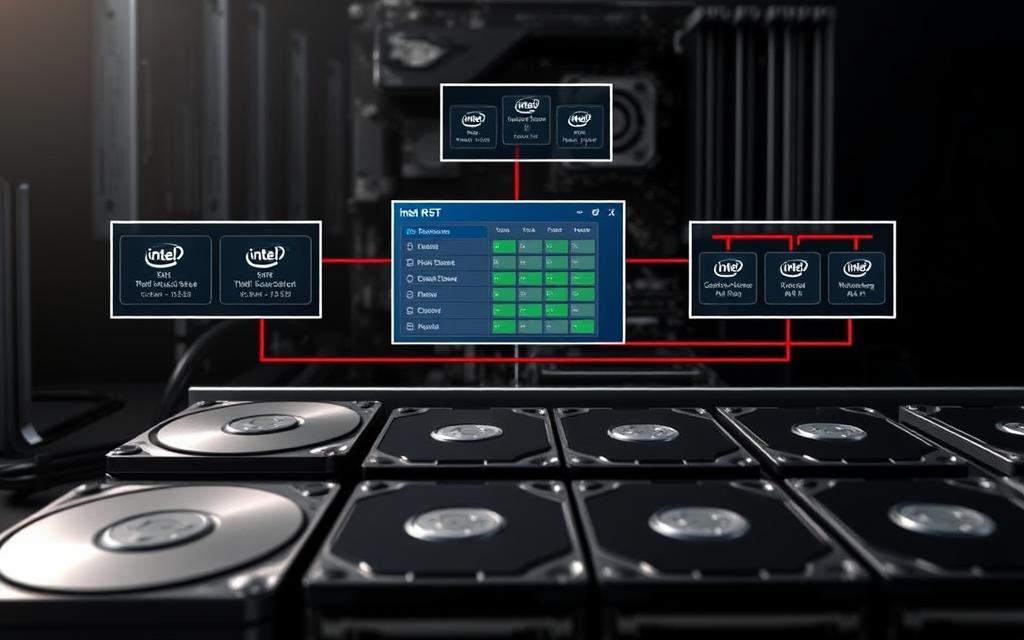
Intel Rapid Storage Technology works with a complex system architecture. It connects well with both hardware and software. It runs in two main modes: RST AHCI for everyday use and RST RAID for more complex setups.
https://www.youtube.com/watch?v=naed4C4hfAg
The tech has special drivers for SATA AHCI controllers and RAID firmware. These drivers work well with Intel chipsets, making storage management easier. Questions about intel rapid storage also connect with intel speed shift dynamic when readers compare closely related topics. The system uses a kernel driver to talk directly to hardware and offer a standard interface to the OS.
Related Posts:
- What Is Intel Speed Shift Technology Dynamic CPU Performance
- How Technology Innovations Are Transforming Policing…

- How Technology Will Change Accounting AI Automation…

- What Is Micro LED Technology The Next Generation of Displays

- How Much Money Does the Technology Industry Make…

- How Technology Has Improved Agriculture Precision Farming

This setup brings cool features like hot-plug, native command queuing, and power management. It supports both old hard drives and new solid-state drives, making SSD caching work well.
Hardware Requirements and Chipset Compatibility
To use Intel Rapid Storage Technology, you need the right hardware. It needs Intel chipsets with RAID, marked by “R” in their names. It works with many Intel controllers, from old ICH7R to the latest.
Before you start, you must turn on RAID in the BIOS/UEFI settings. This makes sure your hardware is recognised and works best. The tech’s success depends on the chipset and the storage devices you use.
| Chipset Series | RAID Support | SSD Caching | Maximum Drives |
|---|---|---|---|
| ICH7R to ICH10R | RAID 0, 1 | Limited | 4 |
| 6 Series | RAID 0, 1, 5, 10 | Full Support | 6 |
| 7 Series and newer | All RAID levels | Enhanced Support | 8+ |
Installation and Configuration Basics
Setting up Intel Rapid Storage Technology needs careful steps. You’ll need to prepare your hardware and install software. The exact steps depend on your system and chipset.
System Prerequisites for Optimal Performance
Before you start, check a few things. Your motherboard must have an Intel chipset with RAID. Also, make sure RAID mode is on in the BIOS/UEFI, not AHCI.
Choose storage devices that match your needs. For SSD caching, pick a fast drive for the cache and a big drive for storage. More RAM helps with caching too.
Software Interface and Management Tools
Intel gives you tools to manage your storage through the Rapid Storage Technology interface. This software lets you set up storage arrays, check drive health, and use SSD caching. It has simple and advanced views for all users.
You can create arrays, change RAID levels, and monitor performance. The tool also alerts you to drive problems, helping keep your data safe. Regular updates keep it working with new tech and security.
What Is Intel Rapid Storage Technology Used For in RAID Implementations
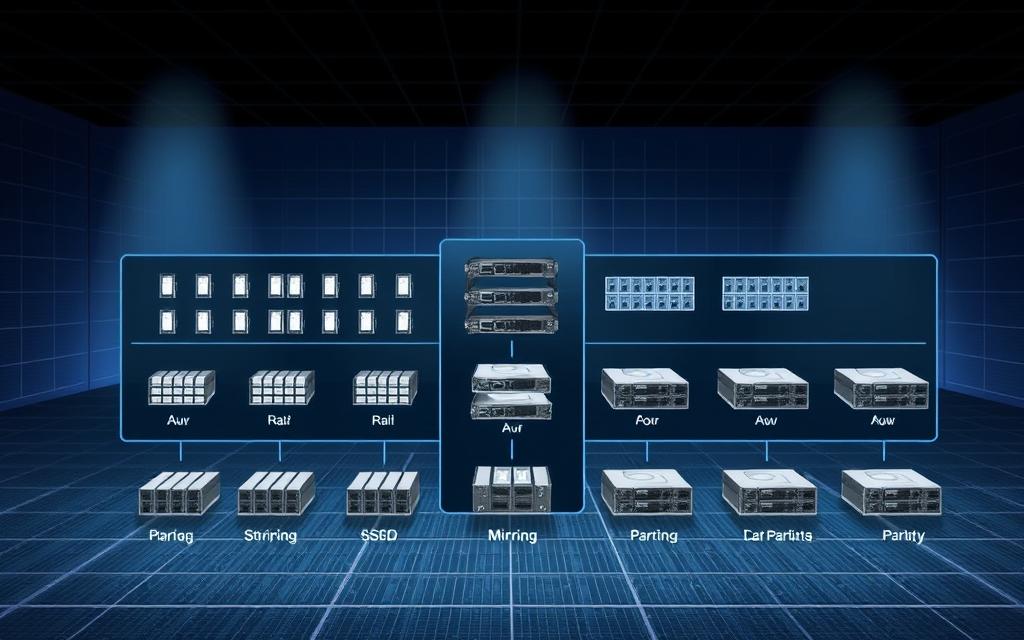
Intel Rapid Storage Technology changes how we handle storage. It supports various RAID levels for different needs. This helps users get the most from their storage while keeping data safe.
The tech works best with the right chipset compatibility on your motherboard. This ensures top performance in all RAID setups. Let’s see how IRST boosts storage solutions through RAID.
RAID 0: Maximising Storage Performance
RAID 0 uses data striping to boost performance. It splits data into blocks and spreads them across drives. This makes read and write operations much faster.
Data Striping Techniques and Benefits
Data striping splits files into blocks for even distribution. This allows for faster access to data. It makes file operations quicker and reduces loading times.
Key benefits include:
- Enhanced read/write speeds through parallel processing
- Larger virtual storage capacity from multiple drives
- Improved application loading times and system responsiveness
Performance Benchmarks and Real-World Applications
Tests show RAID 0 can double the speed of single drives. It’s great for tasks that need speed, like video editing and gaming.
Real-world applications benefit greatly from this setup:
- Video editors experience smoother 4K footage playback
- Gamers enjoy reduced level loading times
- Design professionals work with large files more efficiently
RAID 1: Ensuring Data Redundancy and Protection
RAID 1 uses mirroring for data protection. It creates identical data copies on drives. If one drive fails, the system keeps running with the other copy.
Mirroring Technology and Fault Tolerance
Mirroring writes data to multiple drives at once. This provides instant backup. The system keeps running even if a drive fails.
Fault tolerance features include:
- Automatic failover to mirrored drives
- Continuous system operation during drive issues
- Real-time data protection without performance penalties
Data Recovery Scenarios and Advantages
RAID 1 makes data recovery easy. Failed drives can be swapped out without losing data. The system rebuilds the new drive with the mirrored data.
This setup offers significant advantages for critical data storage:
- Business documents remain protected against hardware failure
- Personal files maintain constant backup protection
- System downtime reduces significantly during drive replacements
Advanced RAID Configurations
Intel Rapid Storage Technology also supports advanced RAID setups. These options balance speed and security. They’re for users needing both in their storage.
RAID 5: Parity-Based Data Protection
RAID 5 uses parity for data protection. It needs at least three drives. Parity lets data be rebuilt if a drive fails.
This setup is great for network storage. It uses parity, which slightly slows down writes.
RAID 10: Combined Performance and Security
RAID 10 combines mirroring and striping for top performance and protection. It needs at least four drives. It offers RAID 0’s speed with RAID 1’s security.
This setup stripes data across mirrored pairs. It boosts performance and provides instant redundancy. It’s the best choice for critical applications needing top system performance and protection.
| RAID Level | Minimum Drives | Primary Benefit | Best Use Case |
|---|---|---|---|
| RAID 0 | 2 | Maximum Performance | Gaming, Video Editing |
| RAID 1 | 2 | Data Protection | Business Documents, Personal Files |
| RAID 5 | 3 | Balanced Performance/Security | Network Storage, Small Servers |
| RAID 10 | 4 | Maximum Performance & Security | Database Servers, Critical Applications |
Each RAID setup has its own purpose in Intel’s technology. The right choice depends on your needs and hardware. Proper setup ensures the best system performance and data safety.
SSD Caching Capabilities with Intel Technology
Intel Rapid Storage Technology goes beyond RAID to boost performance with smart SSD caching. It uses fast SSDs while keeping the big storage of hard drives.
Intel Smart Response Technology Explained
Intel Smart Response Technology is a smart caching system. It makes your system faster by storing often-used data on a fast SSD. This way, you get fast performance without needing a full SSD.
How SSD Caching Accelerates System Performance
SSD caching makes your system faster by cutting down on data access time. It works by:
- Watching how you use your data
- Finding out what you use most
- Putting that data on the SSD
- So you get fast access to it
This means your most-used apps and files run fast, while less used data stays on hard drives.
Adaptive Caching Algorithms and Intelligence
Intel RST’s smart tech learns from how you use your computer. It:
- Decides what data to cache based on how often you use it
- Changes its caching strategy as needed
- Uses the cache wisely without you having to do anything
- Keeps the cache working well even after you restart
This self-improving feature keeps your caching system working well over time.
Implementation and Configuration Guidelines
Setting up SSD caching right is key. You need to pick the right hardware and set it up correctly. Doing this well means your system will run smoothly and fast.
Optimal SSD Selection and Sizing
Choosing the right SSD for caching is important. Look for:
- SSDs that are fast at random reads and writes
- SSDs with a size between 16GB and 64GB for the best results
- Make sure it works with your system’s SATA controller
- Choose reliability over how big it is
Smaller, faster SSDs usually work better for caching than bigger, slower ones.
Cache Management and Monitoring Techniques
Managing your cache well means keeping an eye on it and doing some maintenance now and then. The Intel RST management console lets you:
- See how your cache is doing in real-time
- Test your system’s performance
- Check on your cache’s health
- Change how your cache works
Keeping an eye on your cache helps catch problems before they slow you down.
Performance Analysis and Benefits
Intel Smart Response Technology makes your system a lot better. It improves how fast your system starts up and how quickly apps load. This means you can get more done faster.
Boot Time and Application Loading Improvements
With SSD caching, your system boots up and apps load a lot faster. You can expect:
- 30-50% faster system start times
- 40-60% quicker app launch times
- Systems that feel more responsive when you’re doing lots of things at once
- Systems that handle memory well
This makes SSD caching a great choice for upgrading your system.
System Responsiveness and User Experience
SSD caching makes your computer feel a lot better. You’ll notice:
- Apps switching and working smoothly
- Less waiting when you’re working with files
- Apps that use a lot of data working better
- Systems that stay stable even when they’re working hard
This technology helps bridge the gap between old hard drives and new SSDs. It gives you fast performance and lots of storage.
Practical Applications Across Different User Scenarios
IRST offers benefits for various computing needs. It improves performance for gaming, work, and multimedia enjoyment at home.
Gaming and High-Performance Computing
Intel Rapid Storage Technology boosts gaming and power user experiences.
Reduced Loading Times and Enhanced Gameplay
Gamers see big improvements with IRST. It cuts down on loading times and ensures smooth play.
SSD caching is key here. It keeps game files fast for quick access.
This leads to faster level loading and better graphics. It also helps gamers react quicker in games.
Multitasking and Background Operations
Users who run many apps at once benefit from IRST. It manages data flow well between storage devices.
Background tasks like downloads don’t slow down main activities. This keeps systems responsive, even with many apps open.
It’s perfect for content creators and serious gamers who need smooth multitasking.

Business and Professional Environments
In business, IRST is key for reliability and efficiency. It’s vital for smooth operations.
Data Security and System Reliability
Businesses need to avoid data loss and downtime. IRST offers strong data protection with RAID setups.
This keeps data safe and ensures business can keep running. It also warns admins of issues before they become big problems.
Productivity Enhancements and Workflow Optimisation
IRST makes accessing business apps and files faster. This cuts down wait times and boosts productivity.
It helps with tasks like database work and design. The technical documentation helps set it up for businesses.
Home and Multimedia Usage
For home users, IRST makes computing better. It makes digital life more fun and efficient.
Media Storage and Access Efficiency
Home users with lots of media get a lot from IRST. It organises files for easy access and saves space.
Media apps start up fast, and browsing is smooth. Everyone can use different media without slowing things down.
Everyday Computing Performance Benefits
IRST also improves everyday tasks like web browsing and document editing. It makes systems boot up faster and apps more responsive.
The SSD caching feature gives traditional hard drives SSD-like speed. This makes computing faster without needing expensive upgrades.
Conclusion
Intel Rapid Storage Technology is a powerful tool for making storage better and safer. It supports RAID setups and SSD caching. This boosts system speed for many tasks.
It works well for gaming PCs and business servers alike. IRST makes loading games and files quicker and keeps your data safe. Setting it up right is essential to get the most out of it.
It’s important to check if your hardware can use IRST. This avoids problems and ensures it works smoothly. This way, your system runs well and reliably.
Using IRST can really change how you use storage. It’s fast and keeps your data safe, great for anyone. Discover its features to make your system even faster.